


Before joining the Library online events (e.g.: UOW 3 workshops, Learning Events), it is important that you setup an HKBU Zoom account.
You should do this even if you have used Zoom before with a different account. For logistical and security reasons, you will NOT be able to join the Library online events with a non-HKBU Zoom account.
To setup your HKBU Zoom account, follow the steps below:
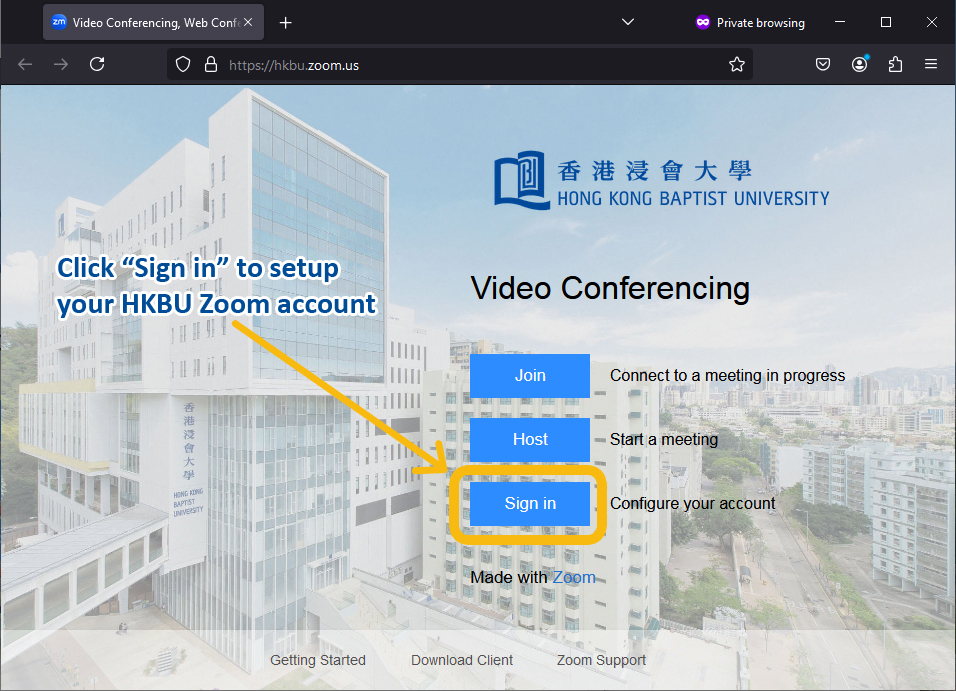
1. Go to https://hkbu.zoom.us and click the “Sign in” button:
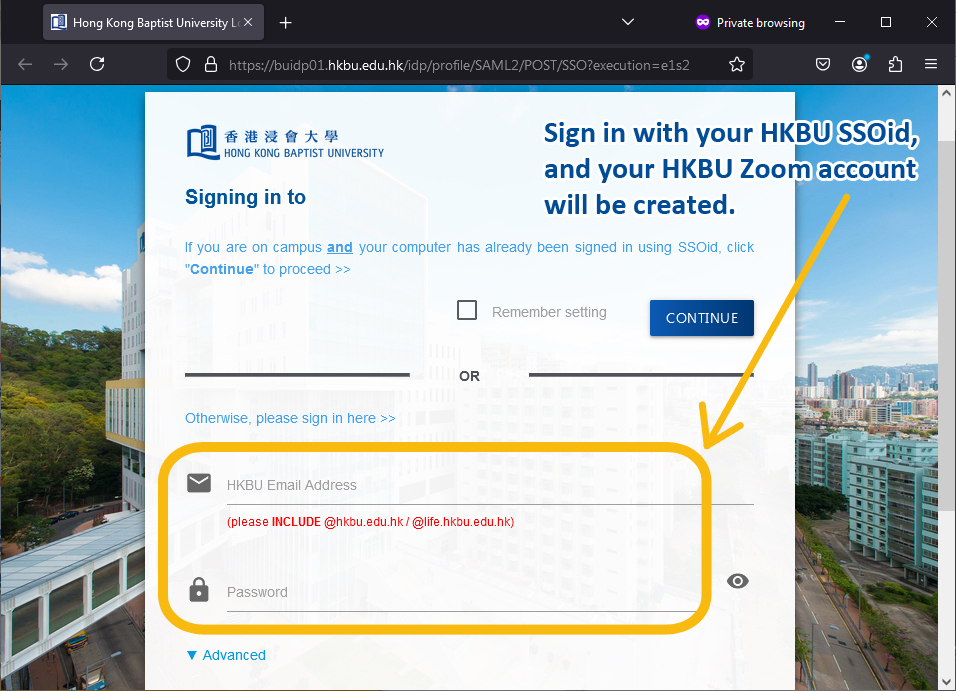
2. Sign in with your HKBU SSOid, and your HKBU Zoom account will be created.
Last updated: 12 August 2025